Service Manager
From the first enquiry to paying your crew. Your price list, bookings, online quotes, crew and the profit of every event in one app.
No credit card needed. Your client needs no account – they get a link to the quote.
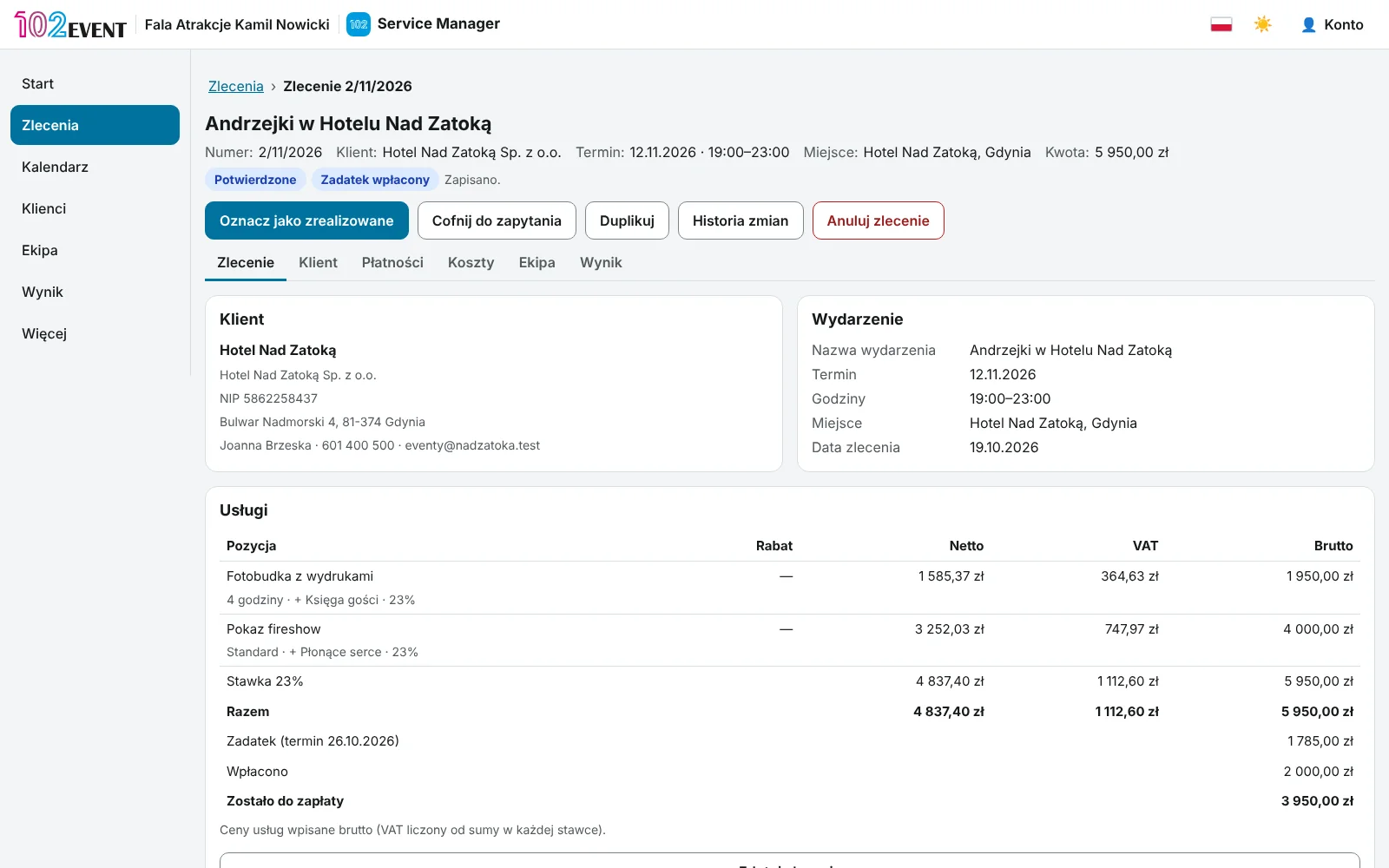
Instead of a notebook
Events without messy notes
Service Manager is built for companies that rent out attractions and send a crew to events. It brings order to what usually lives in a notebook, in emails and in a group chat.
You work out every price on a calculator, slightly differently each time.
The price list does the maths: per hour, per day, per package or per item.
The quote in a word processor, the deposit in a notebook, the date in your phone.
The booking, the PDF quote, payments and the date are all in one place.
Who's working on Saturday? You ask in the group chat.
Your crew sees their jobs on their phone, including in their own calendar.
How much did you make on that event? Hard to say.
Revenue minus costs and crew pay gives you the result of every event.
Roles
Everyone sees their own part
Business owner
Runs the price list, bookings and crew. Sees everything, including company results and the change history.
Company accountStaff member
Gets a role, e.g. office, bookings or crew lead. Sees only what you allow.
Staff accountCrew
Crew members with an account see their jobs and pay in “My work”. Freelancers go into your contacts without an account.
Account or contact cardClient
Gets a link to the quote. Confirms the booking with a code sent by email, or sends comments.
Link, no account
What's inside
All your event work in one app
Service price list
Describe each service once: photos, description, technical requirements and price. The app works out the amount on every booking.
- Price per period, per package, per item or a custom quote
- Service add-ons and travel charged by distance
- Gross or net prices; VAT-exempt businesses work without rates
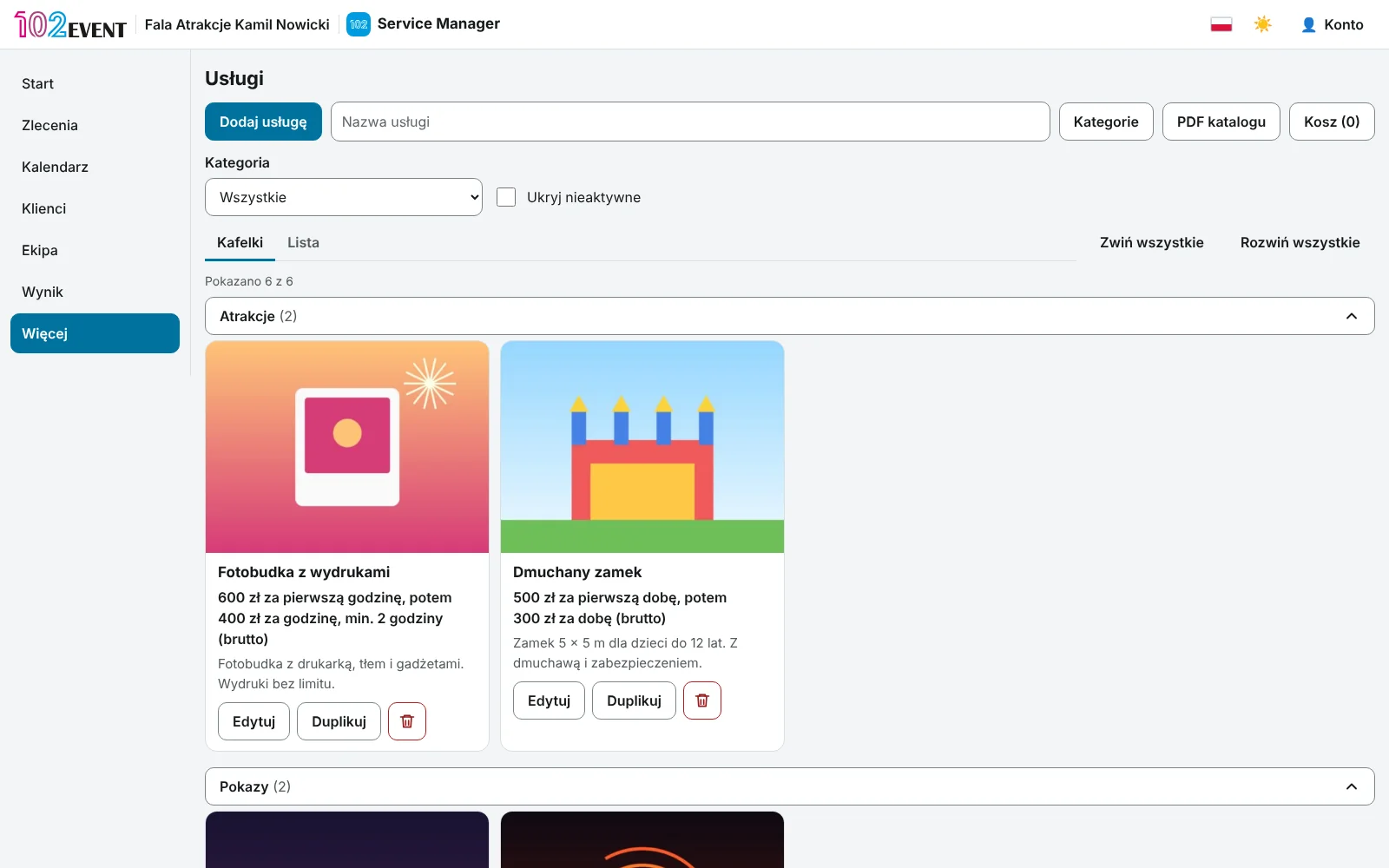
Bookings from enquiry to settlement
Every booking goes through four stages: Enquiry, Confirmed, Completed and Settled. The list shows what is waiting for you and what is waiting for payment.
- Discounts, deposit and payment terms
- Booking numbers assigned in order every month
- Add a custom item when a service isn't in your price list
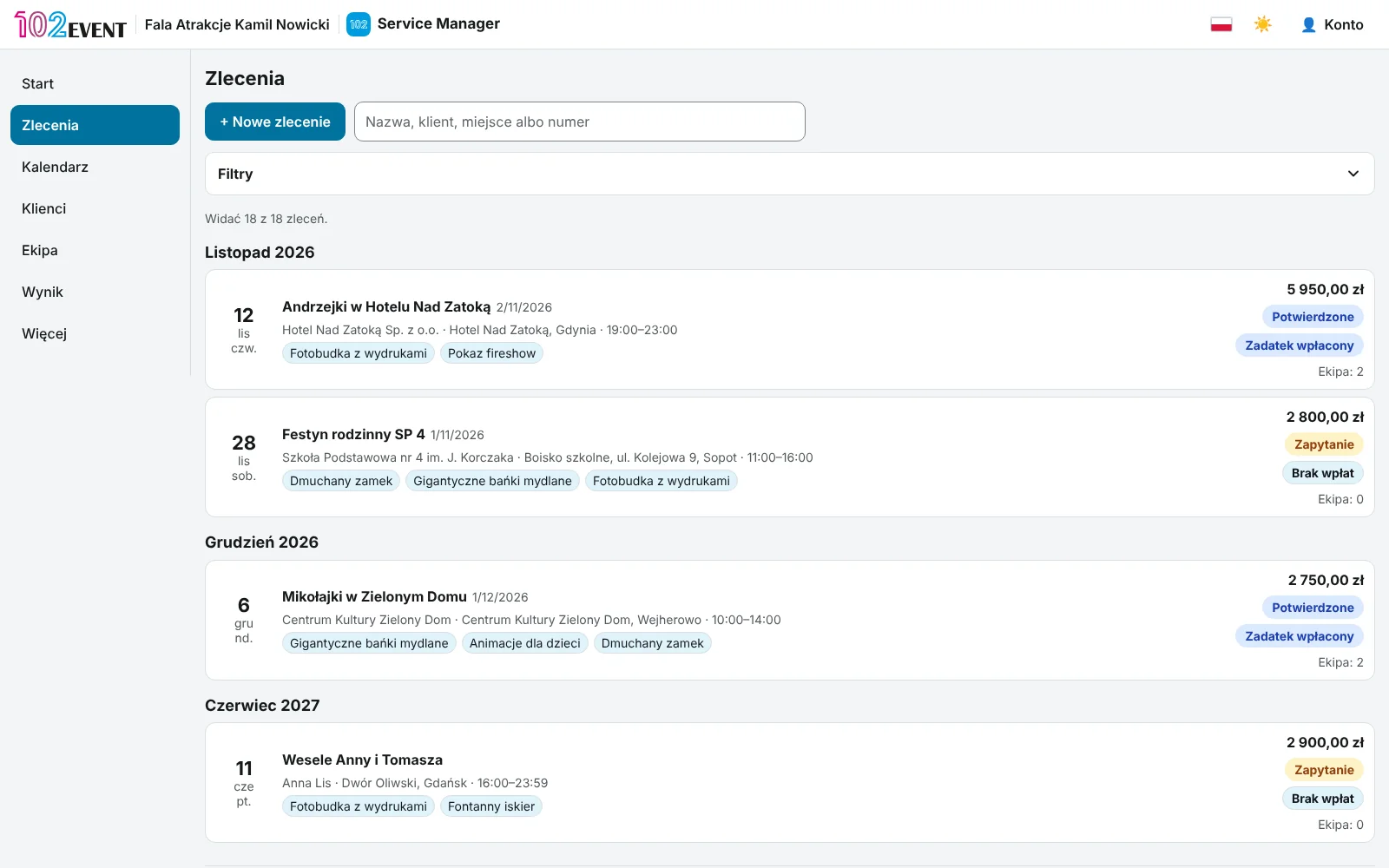
Online quote and confirmation by code
Your client gets a link to the quote: services with photos, amounts and terms. They confirm with a code sent by email, or send comments. You decide whether to accept the booking.
- Booking PDF to download, and sending by email from the app
- Quote expiry date
- The client doesn't need an account
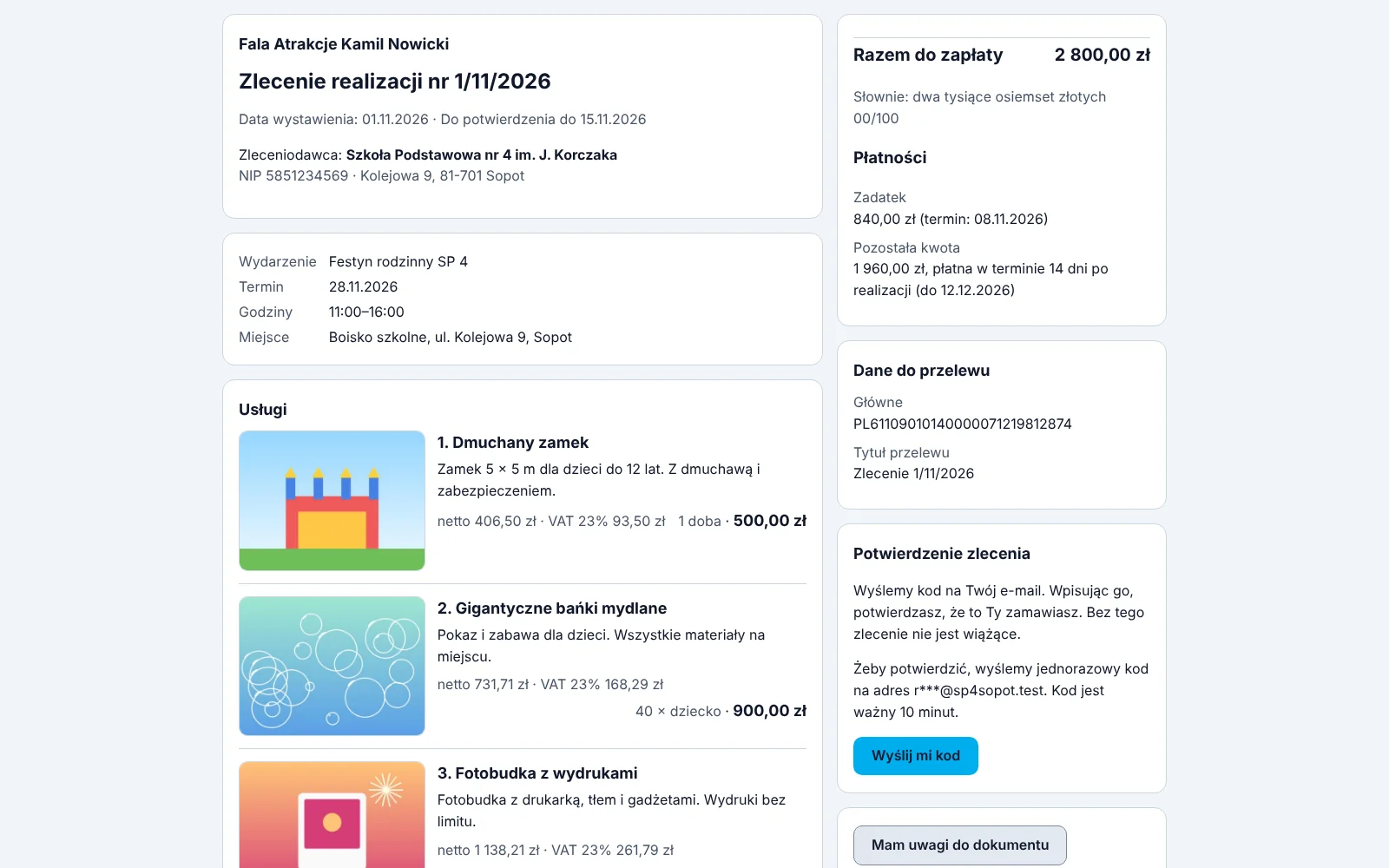
Payments and invoice details
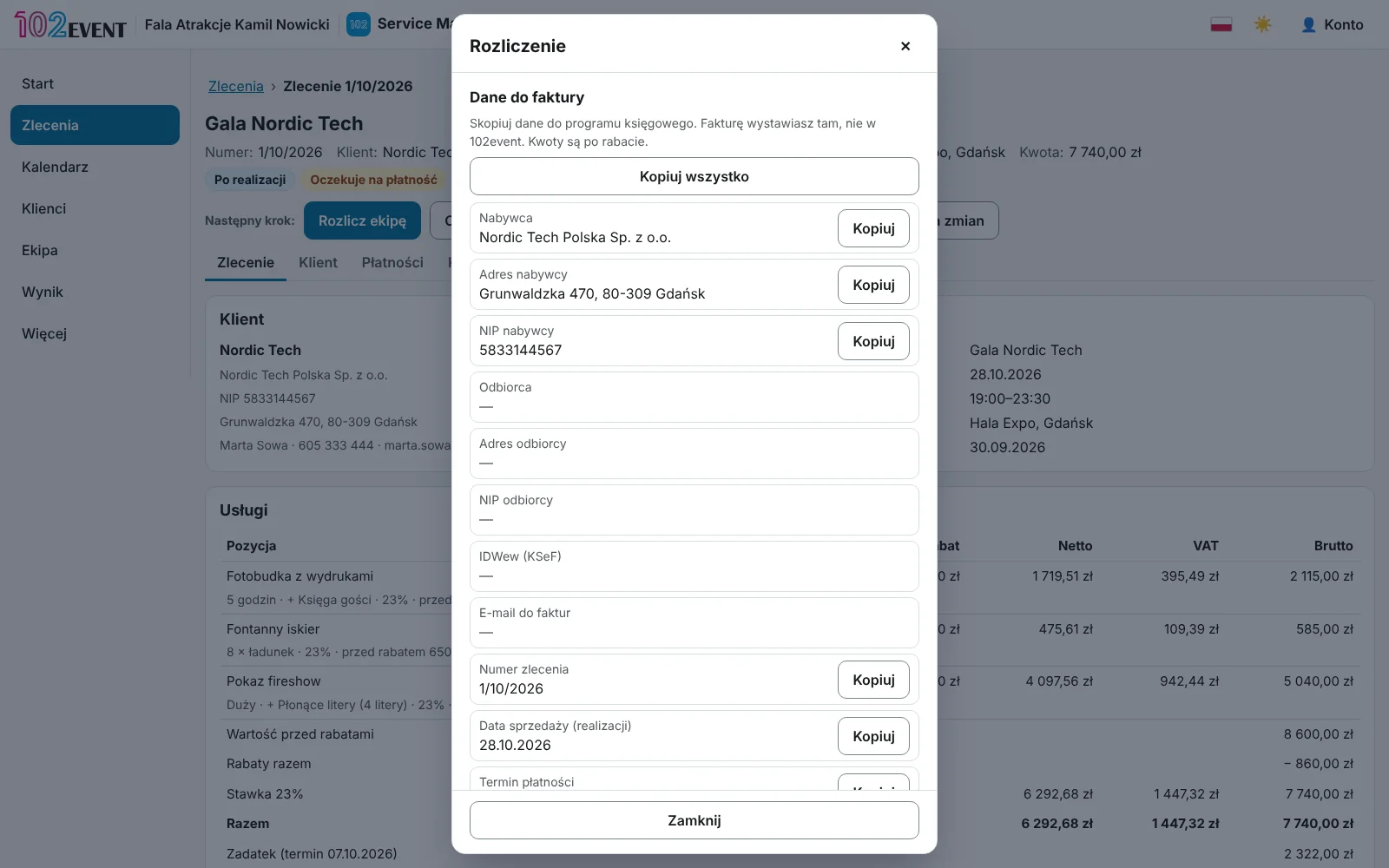
The booking card shows payments, the deposit and what is still due. The “Settlement” window gives you invoice details ready to copy.
- Record the deposit or the balance in one click
- You issue the invoice in your own software and just mark it here
- Booking change history with undo for a single change
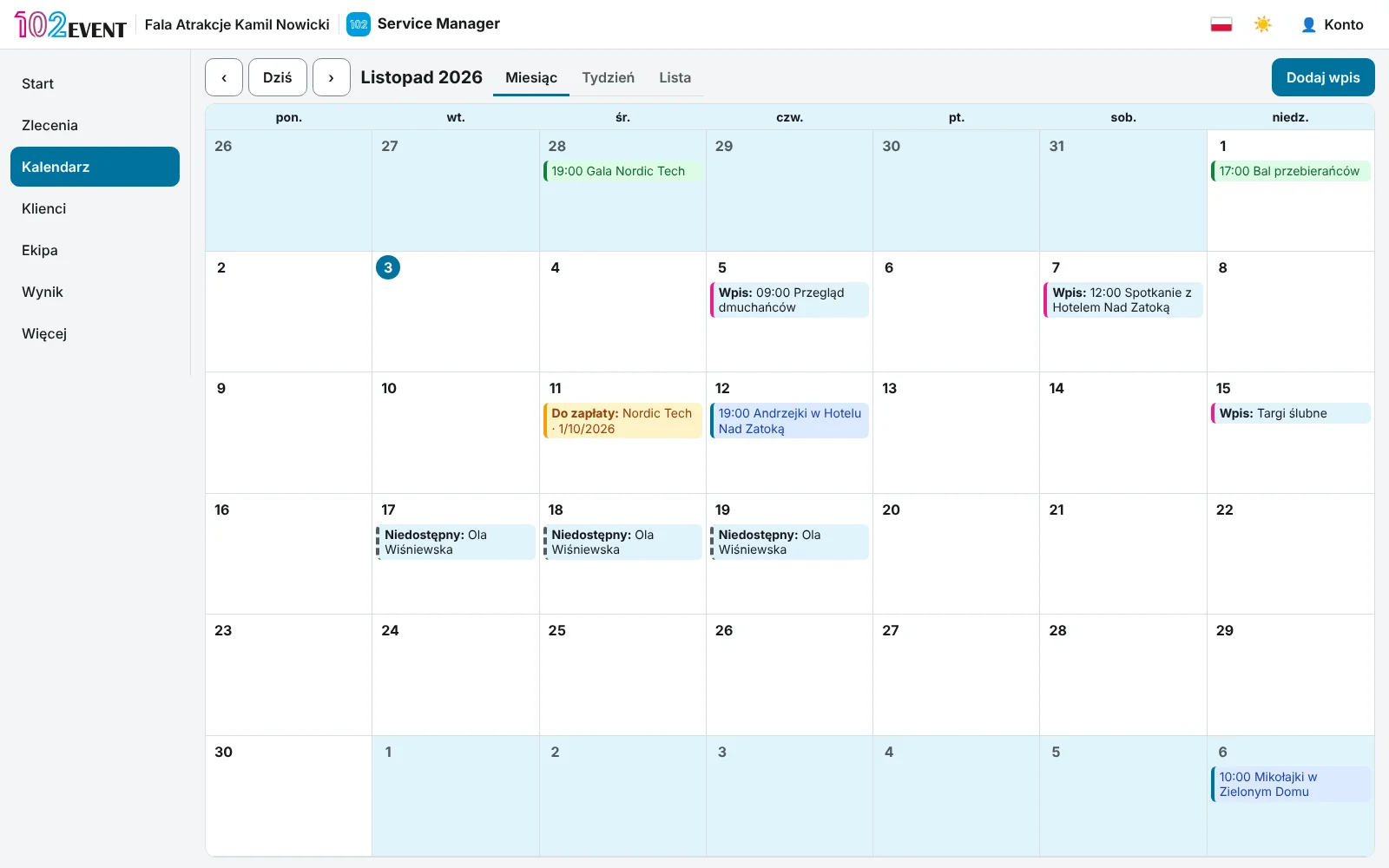
Calendar with a copy in Google
All your events and your own entries in one calendar. If you want, a copy goes to your Google Calendar.
- Month, week and list views
- A warning when you don't have enough equipment for two events
- Days when a crew member can't work
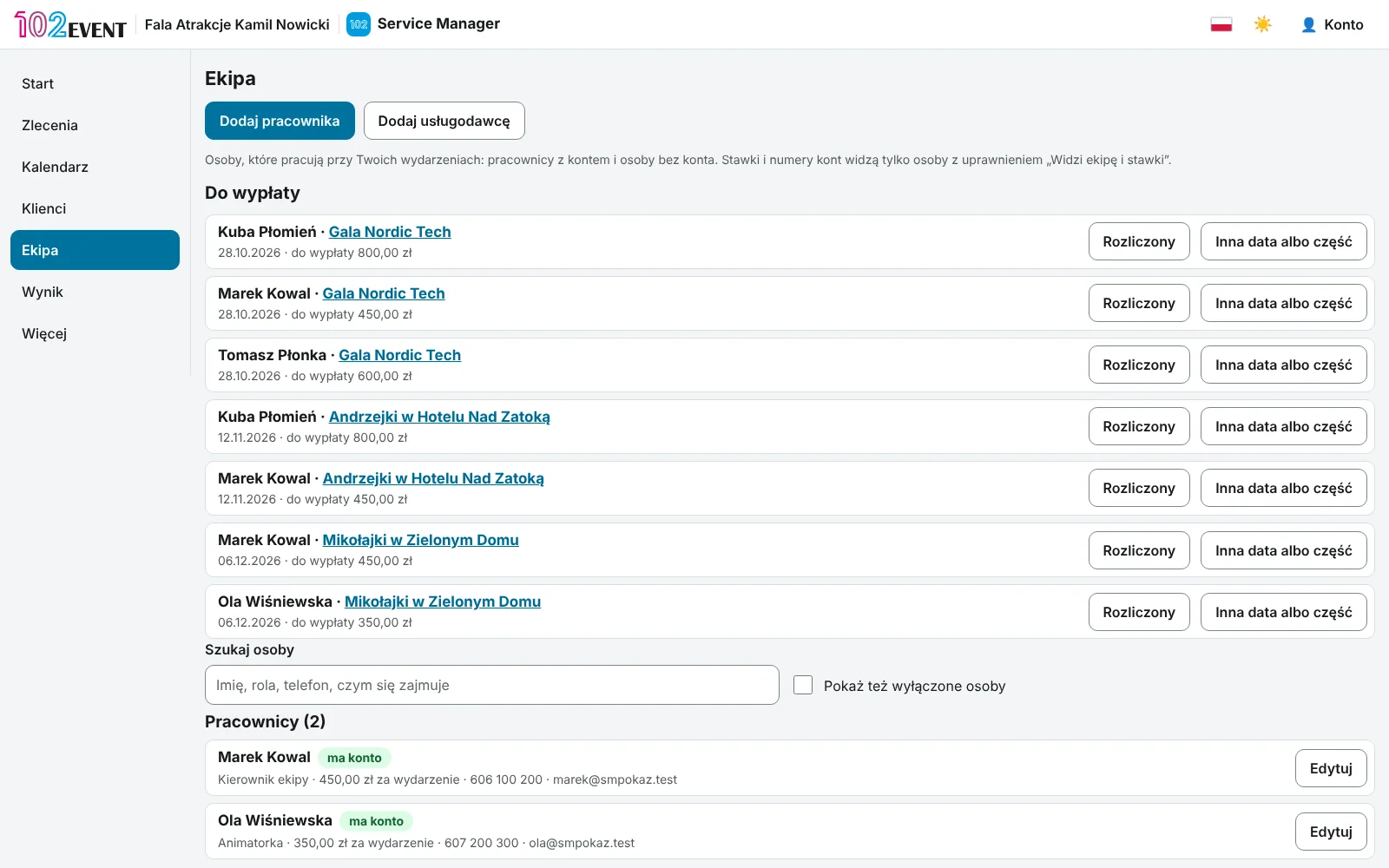
Crew and “My work”
Assign people to every event with their rate. Staff see only their own jobs and pay on their phone – no client prices, no one else's rates.
- A personal calendar feed for each staff member's phone
- Advances, payouts and expense refunds
- Payout and work summaries as PDF
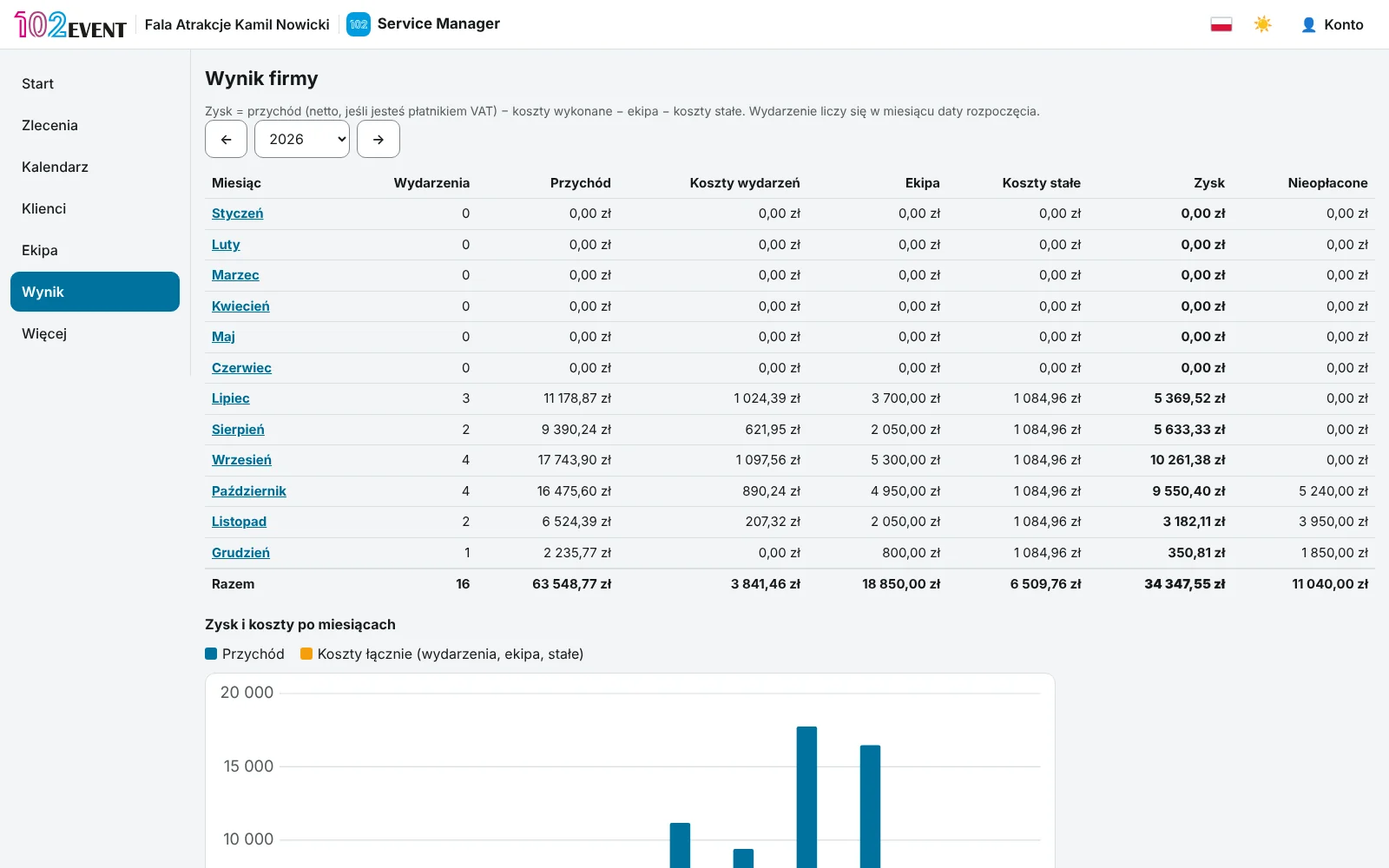
Company results
Revenue minus costs and crew pay. See the result of every event, month and year.
- Fixed costs, such as storage and accounting
- A PDF report and a CSV file for your accountant
- For VAT-registered businesses, profit is shown net
Good to know
Your app, your rules
Roles and permissions
Office, bookings, crew lead, technician or custom settings. One person can have several roles.
Access checked on the server
Staff without permission can't get prices or client details. The server enforces it – not just hidden buttons.
VAT your way
VAT-registered or VAT-exempt. Your documents show the right wording.
Change history
See who changed a booking and when, and undo a single change.
No ads
You pay a subscription, so we don't show ads. Not to you, not to your clients.
A Polish company
The app works in Polish and English. Support at kontakt@102event.pl.
Getting started
Your first booking in one evening
Create an account
14 days free, no credit card.
Add your services
Enter your price list or start from the sample services and edit them.
Send a quote
Create a booking and send your client a link to the quote or a PDF.
Invite your crew
Add staff and freelancers. Each staff member gets their own role.
Questions
Questions about Service Manager
Does the app issue invoices?
No. It gives you invoice details ready to copy. You issue the invoice in your own software and mark it as issued on the booking.
Does my client need an account?
No. Your client gets a link to the quote and confirms it with a code sent to their email.
Is confirming by code a signature?
It’s a simple online confirmation, not an electronic signature. If you need a signature, send the PDF to be signed and mark in the app that the client confirmed another way.
My business isn't VAT-registered. Will it work?
Yes. Prices are then calculated without VAT, and your documents can show the legal basis for the exemption.
How many people can I add to my team?
Up to 10 people with an account are included. With the “Up to 25 team members” add-on, up to 25. People without an account (e.g. freelancers) go into your contacts and don’t count towards this limit.
Does it work on a phone?
Yes, in the browser. The “My work” screen for your crew is designed for phones.
Pricing
How much Service Manager costs
One app, one price. Add Wedding Manager or an add-on later from your account.
Apps
Add-ons
Run your next event in Service Manager.
14 days free, no card, no ads.
Questions? Write to us: kontakt@102event.pl