Wedding Manager
The whole wedding in one place. You lead, your team gets things done, and the couple sees their wedding come together in real time.
No credit card needed. The couple and your vendors don't need accounts.
See it in action
Wedding Manager in 30 seconds
Pick a scenario or just watch. This is the real app, shown on a sample wedding for Anna and Piotr.
- Open the “No seat” list and pick a guest.
- Drag them to a free seat at a table.
- The counters above the plan update on their own.
- Download the room plan as a PDF for the venue.
- Invitation handed out? One click.
- The handed-out counter updates itself.
- “Show” leaves only guests who haven’t replied.
- Go to the “By person” tab.
- In “Show the day plan for”, pick the photographer.
- Only their day plan is left. They get the same view through their own link.
- The counters at the top show how many guests haven’t replied yet.
- “Show” leaves only guests who haven’t replied.
- You see right away who to chase.
- Go to the “By person” tab.
- In “Show the day plan for”, pick the photographer.
- Only their day plan is left. They get the same view through their own link.
All data in this demo is made up.
Instead of a spreadsheet
A wedding file that doesn't break
Wedding Manager was built from a working wedding planner's real coordination files. It fixes the problems everyone who has run a wedding in Excel knows too well.
10.30 turns into a date.
The schedule understands times. Nothing rearranges itself.
The same vendor in four places, with four different amounts.
Enter them once. Budget, schedule and settlements all use the same data.
The guest count at the tables doesn't add up.
Guests, seats and rooms are counted automatically.
The couple can see bank details and your agency notes.
Everyone sees only their part of the wedding.
You put the photographer's schedule together by hand.
The photographer gets a link to their part of the day.
Roles
Everyone sees their own part
Wedding Planner
Runs every wedding, the team and the templates. Sees everything, including their own billing with the couple.
Company accountCoordinator
Works on the weddings you assign. Doesn't see the other weddings or the agency's billing.
Staff accountThe couple
Open their wedding from a link on any phone or computer. They manage guests and seating themselves – it's their wedding.
Link, no accountVendor
Gets a link to their own part of the schedule only. They don't see the rest of the wedding.
Link, no account
What's inside
From the first meeting to the day-after party
Wedding overview
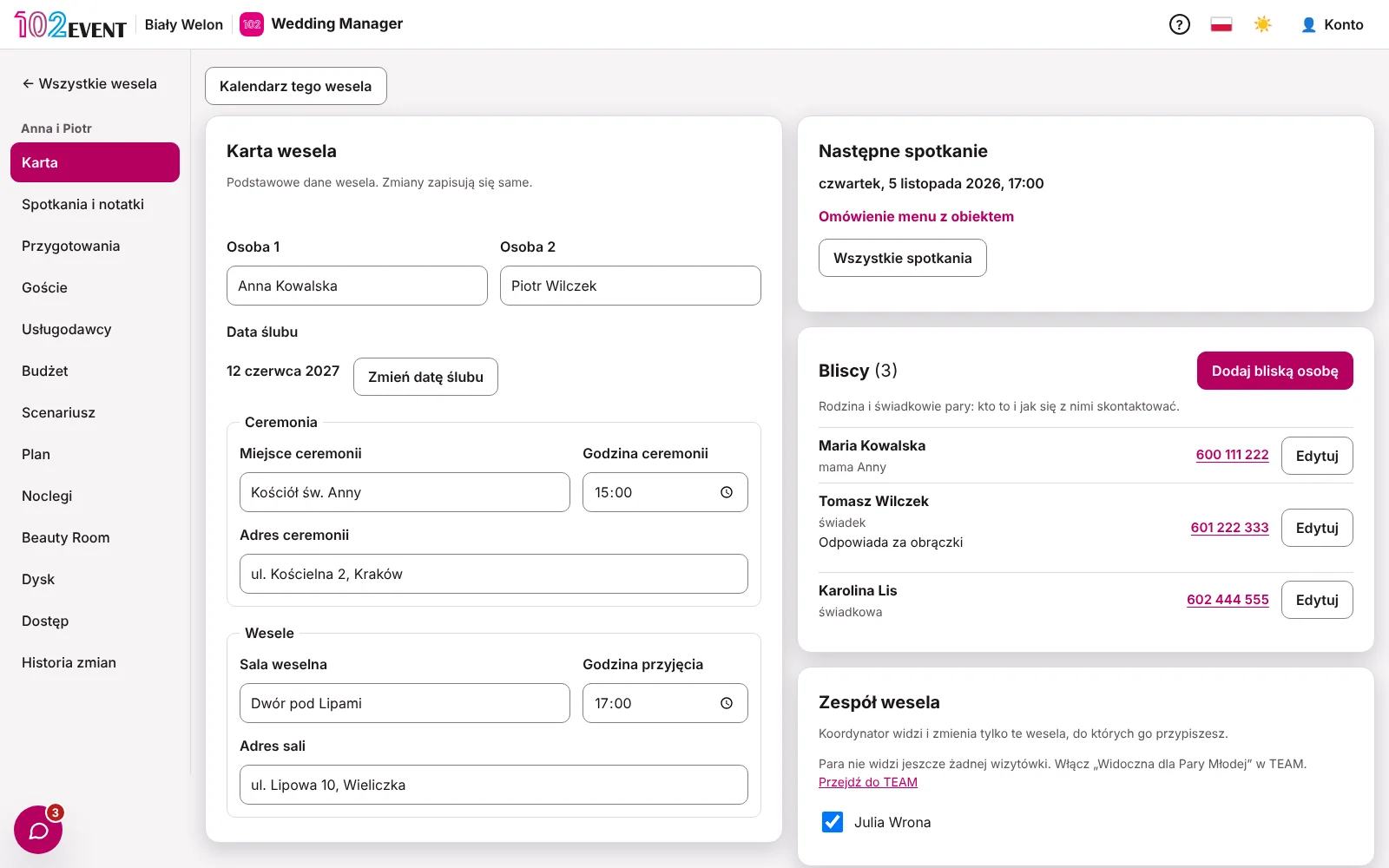
The key details on one card: the couple, the date, the ceremony, the venue, the next meeting and the wedding team.
- Changing the wedding date moves task deadlines
- The couple's family and witnesses with phone numbers
- Coordinators assigned to this wedding
Planning from your own templates
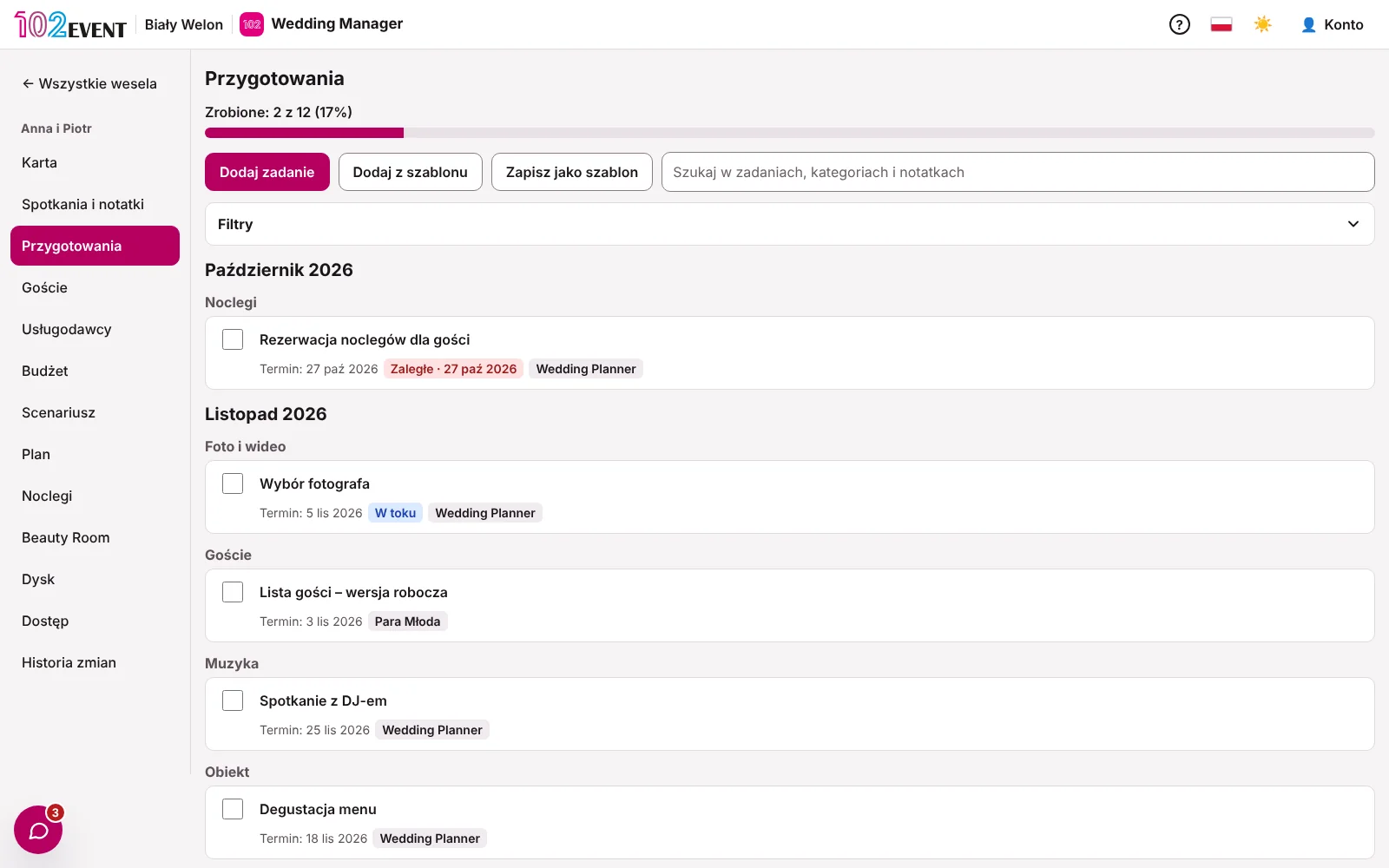
Start from your own task template. Deadlines are counted from the wedding date and move when the date changes.
- Separate templates, e.g. for a destination or short-notice wedding
- Tasks for you or for the couple
- See planning progress at a glance
A guest list without the mess
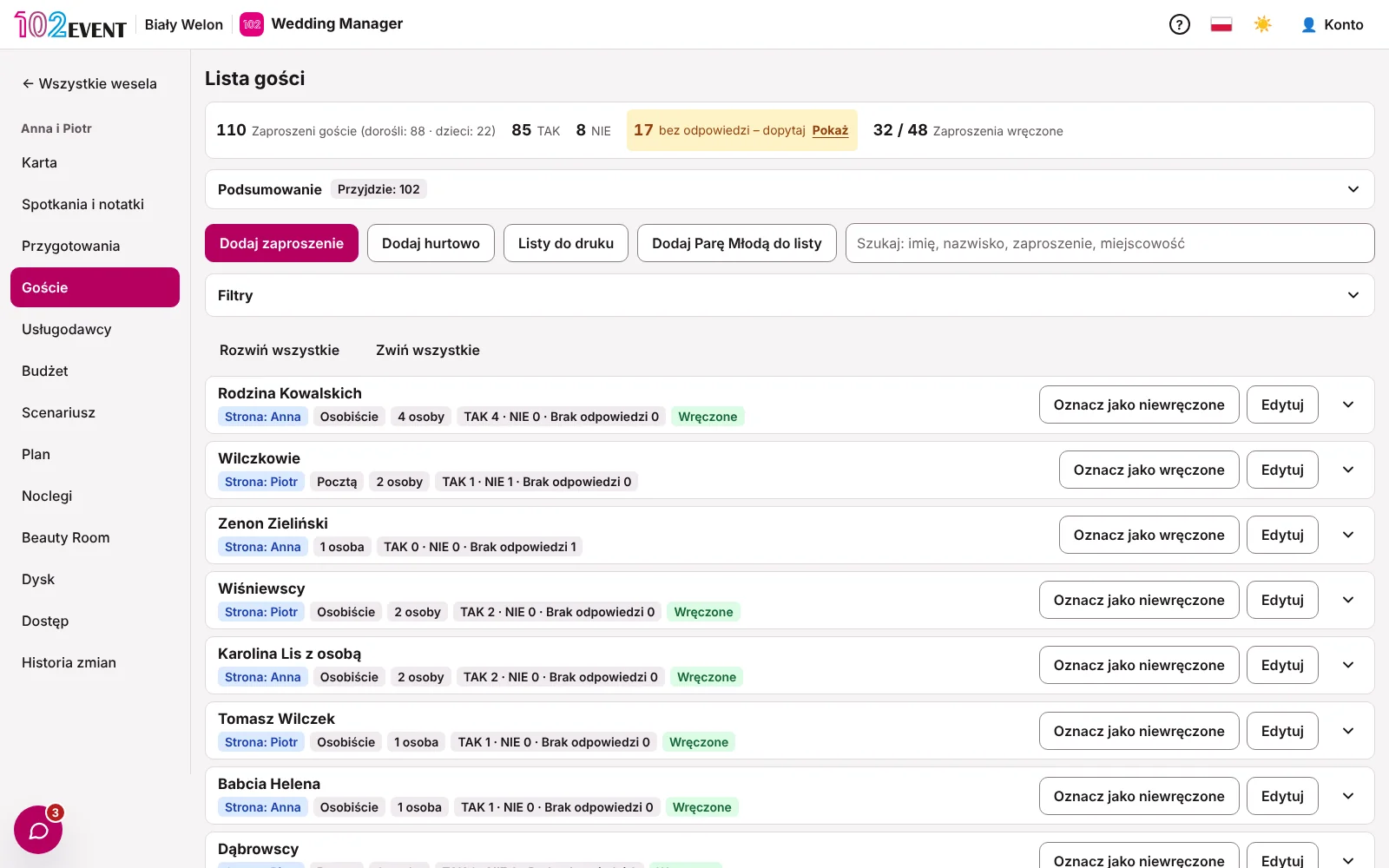
Invitations, RSVPs, menus and accommodation in one list. Counters show how many guests have already confirmed.
- Households and how each invitation is addressed
- Menu choices saved as codes: vegetarian, gluten-free, lactose-free
- Printable lists for the venue and staff
Seating plan
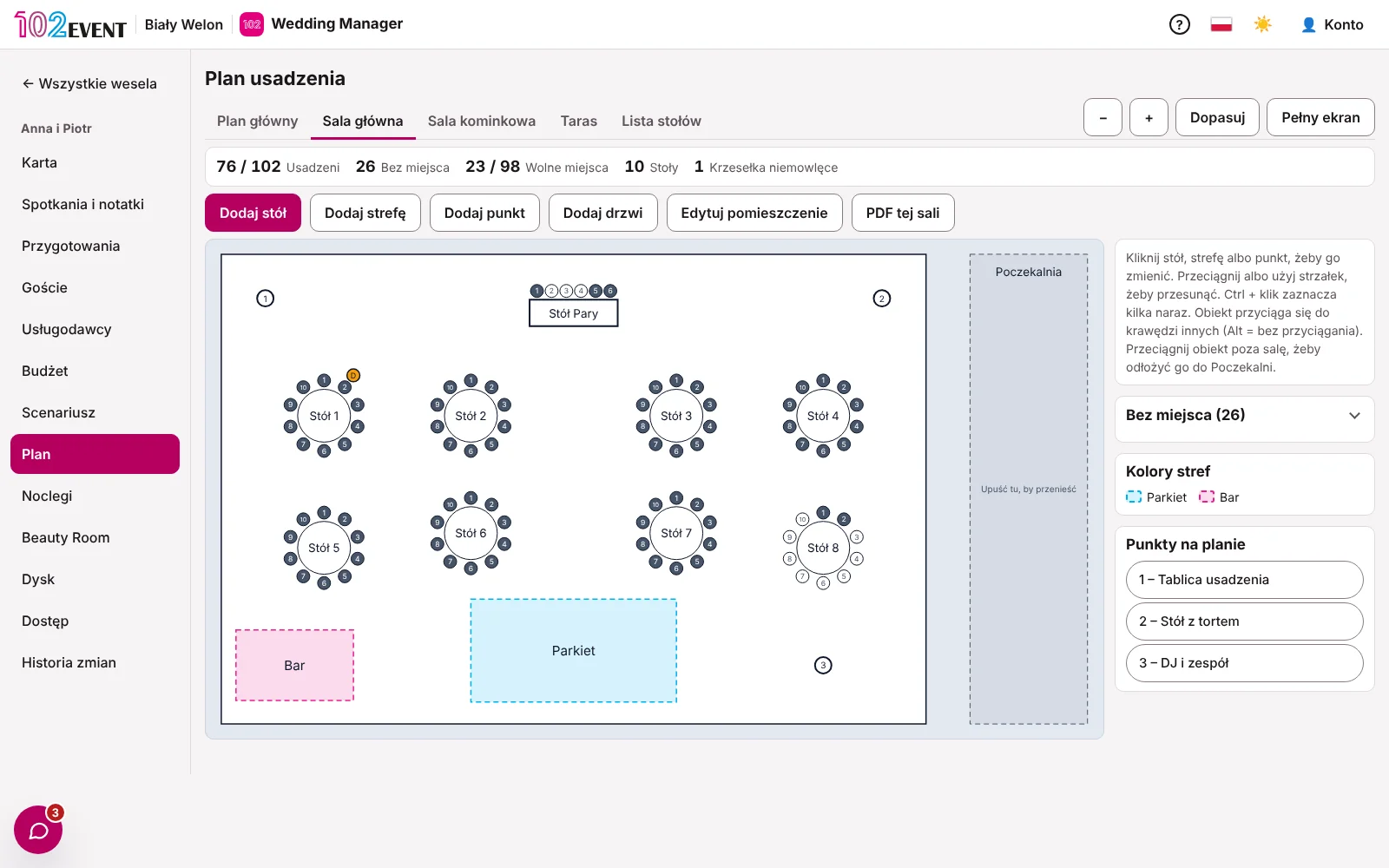
Draw the room, place the tables and drag guests to their seats. Every change shows up on the guest list straight away.
- Multiple rooms and zones, e.g. the main hall and the terrace
- A site plan of the venue with all rooms side by side
- Table plan as a PDF for the venue
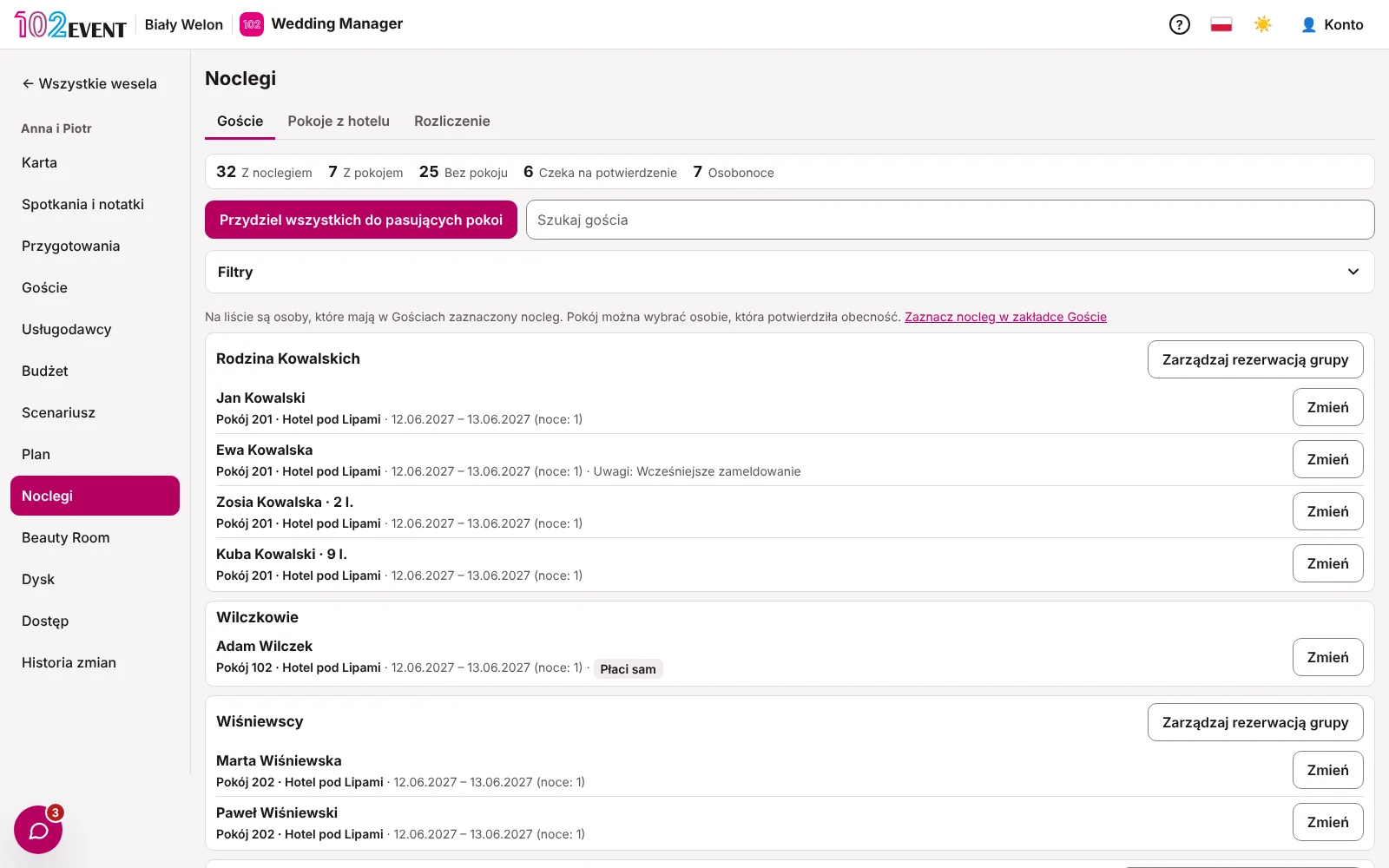
Accommodation that keeps families together
Add hotels and rooms. The app suggests who sleeps where and keeps families together.
- Family rooms, e.g. 2 adults and 2 children
- Allocate every guest with a single click
- A list for the hotel and an accommodation summary
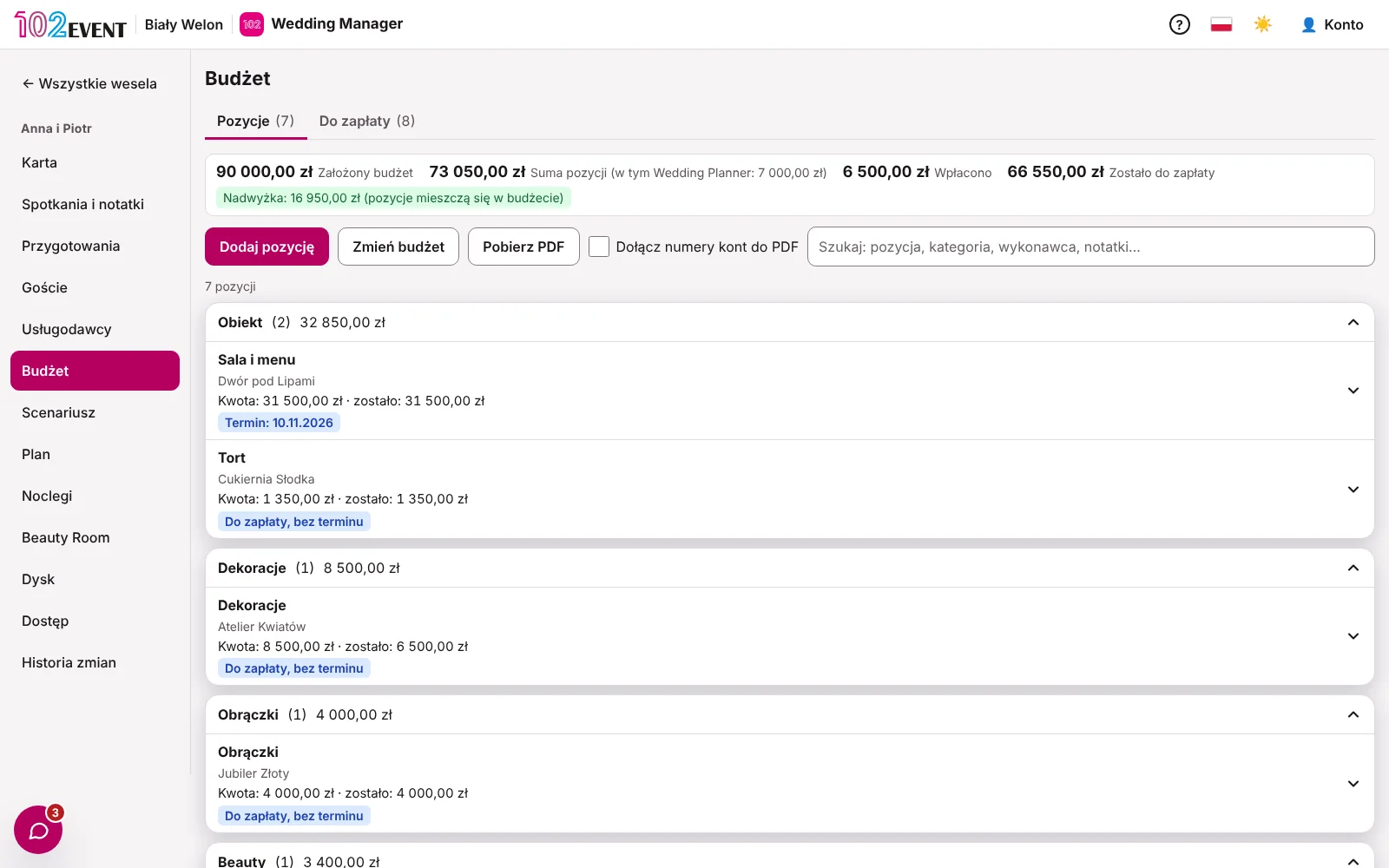
A budget that adds up
Every line is quantity times price. The couple's payments and due dates are visible at a glance.
- What's left to pay, and by when
- Wedding-day payments: cash or transfer
- Your own fee from the couple, in instalments
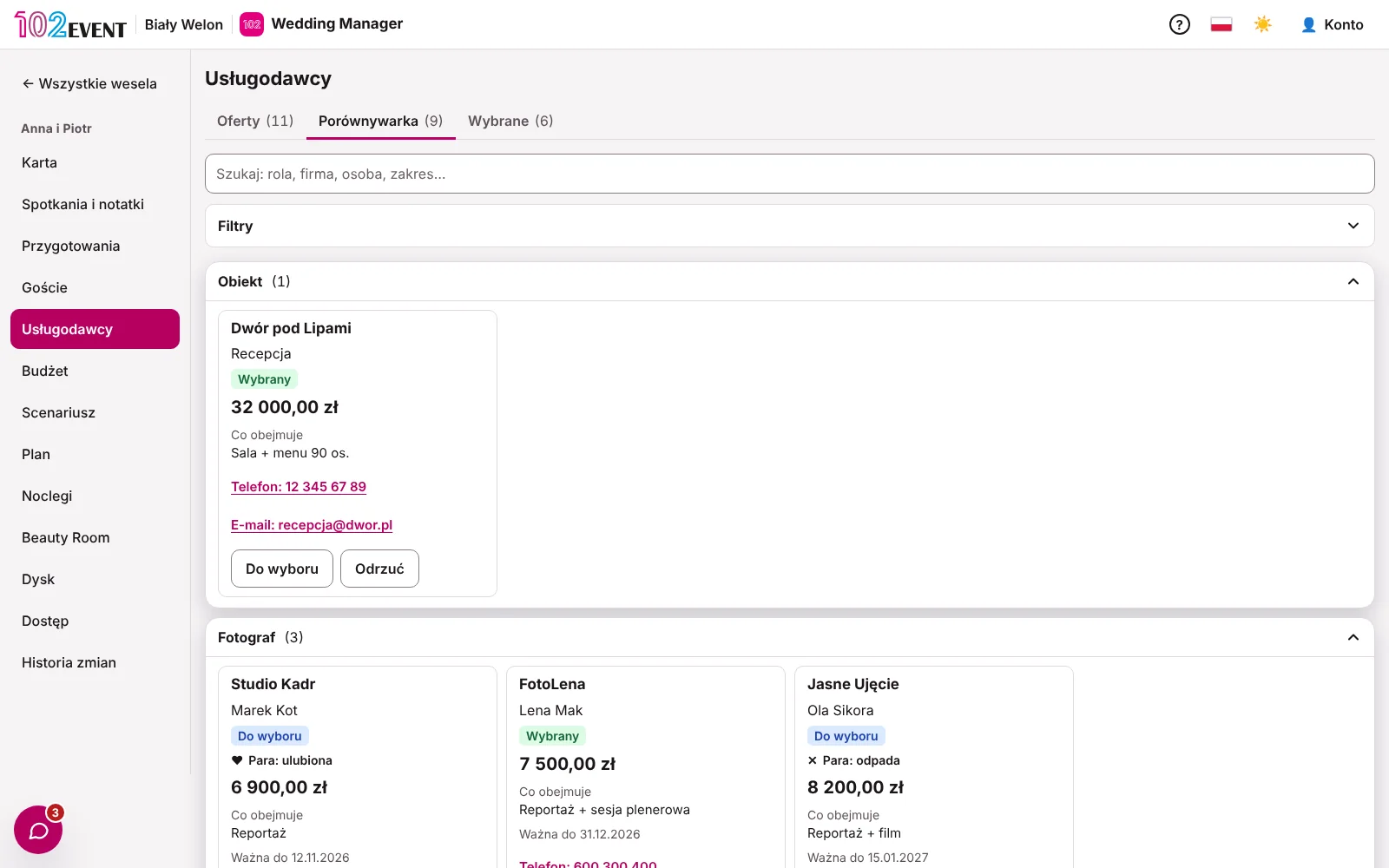
Vendors and quote comparison
Collect quotes by category and compare them side by side with the couple.
- Company, location, availability and price on one card
- The chosen quote goes straight to the budget and contacts
- Wedding-day contacts for the whole team
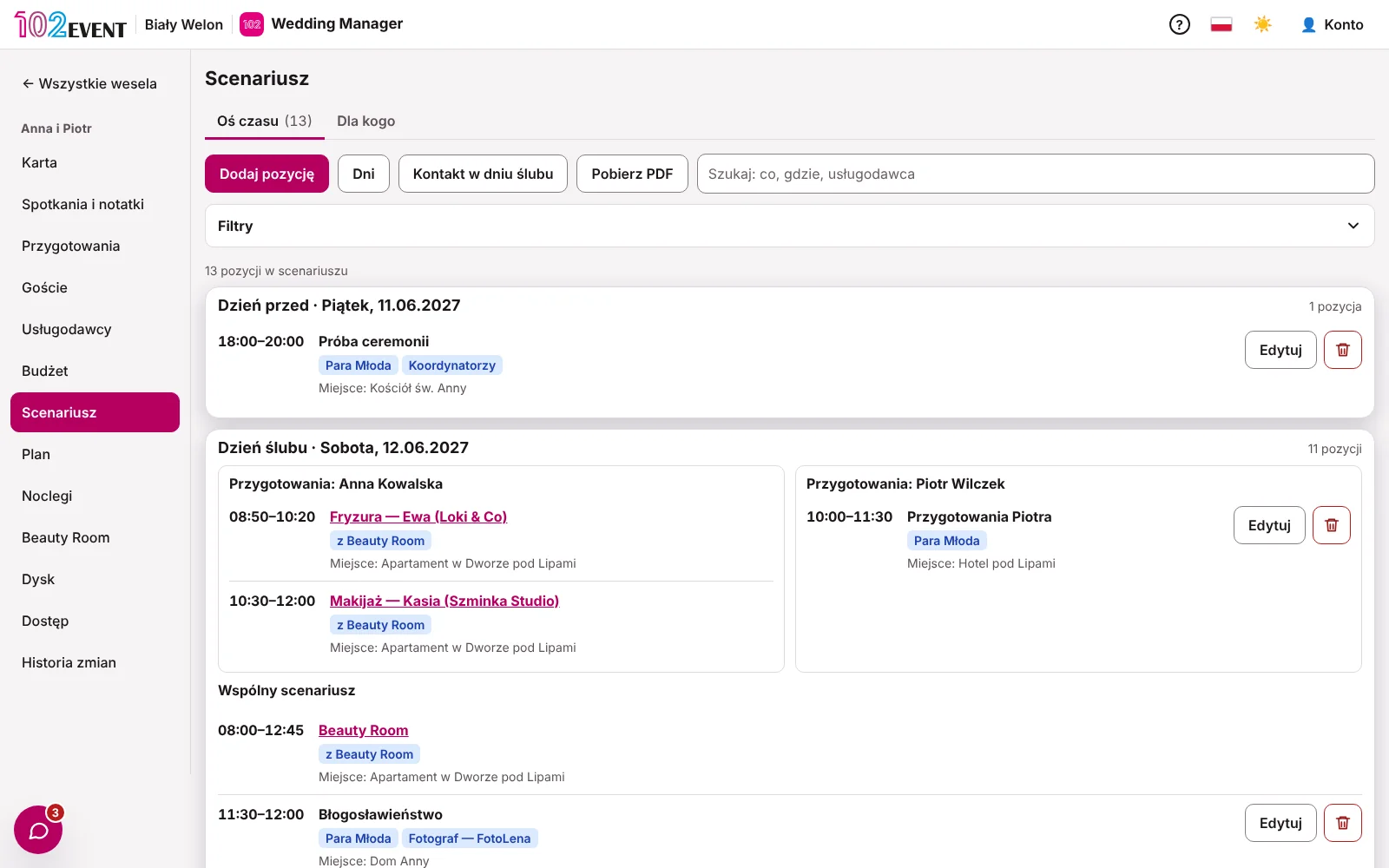
Day schedule with links for vendors
One schedule from set-up to the day-after party. Each vendor sees only their own times.
- A separate getting-ready plan for each partner
- A “Send update” button when something changes
- Schedule as a PDF
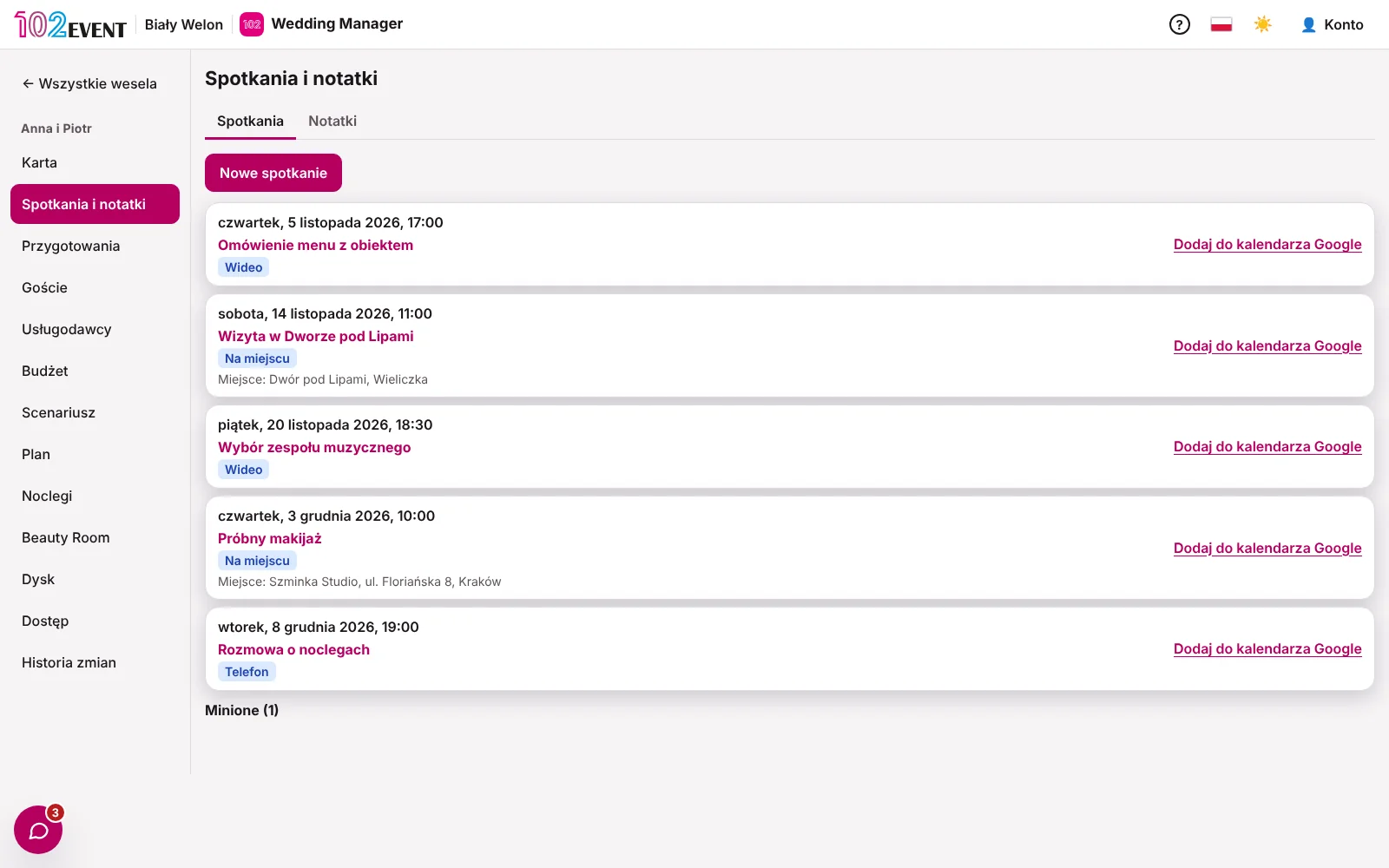
Meetings and messages with the couple
Meetings go straight into your Google Calendar. Conversations with the couple stay with the wedding, not scattered across five messaging apps.
- Meetings with a Google Meet link
- Internal notes collapse when you share your screen
- A chat-with-the-couple button on every screen
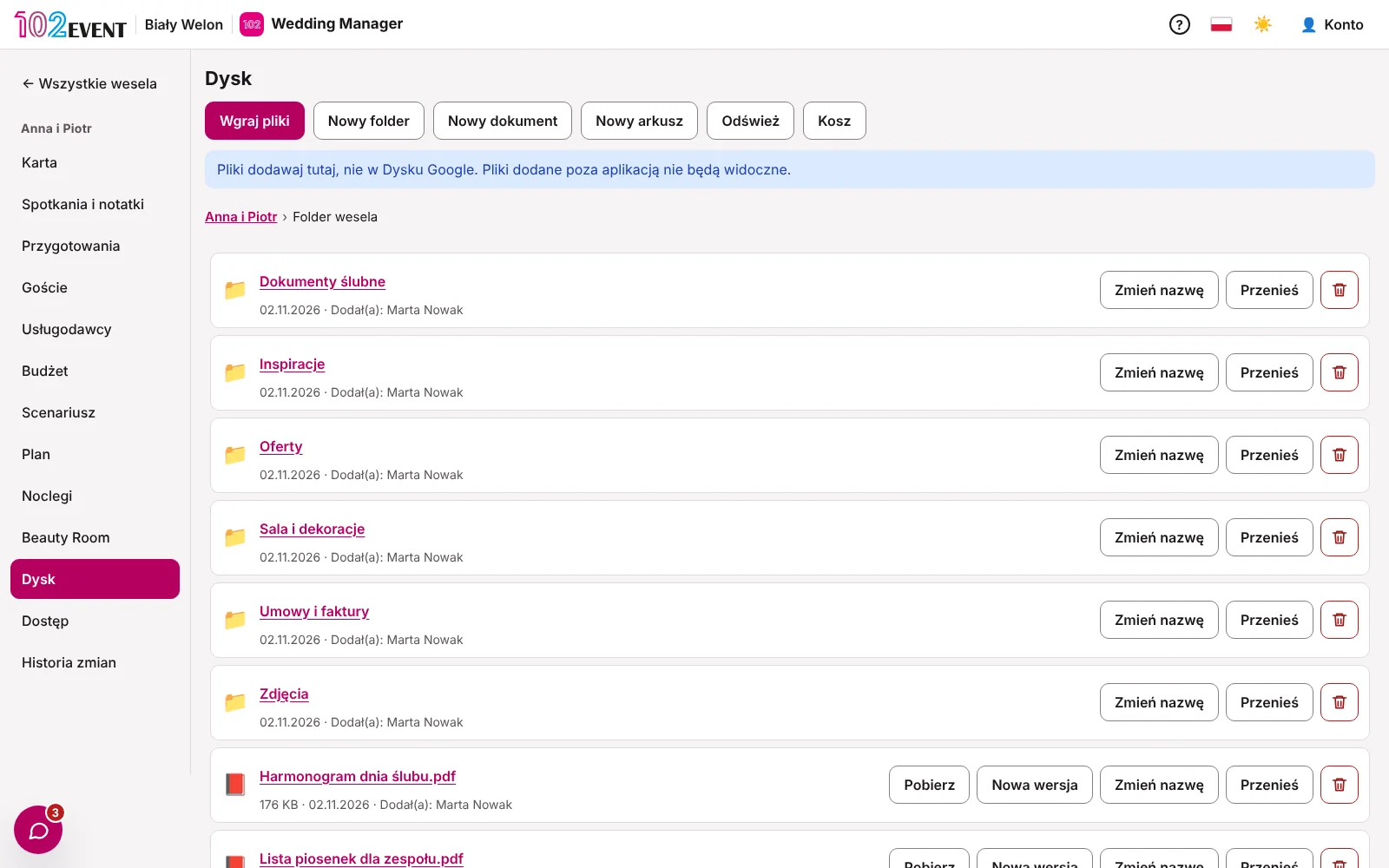
Wedding Drive
Every wedding has its own folder on your Google Drive. The couple and your coordinator see it in the app – no Google account needed.
- The folder is created automatically for each new wedding
- The couple can add files and folders
- Your private folder and a team folder alongside
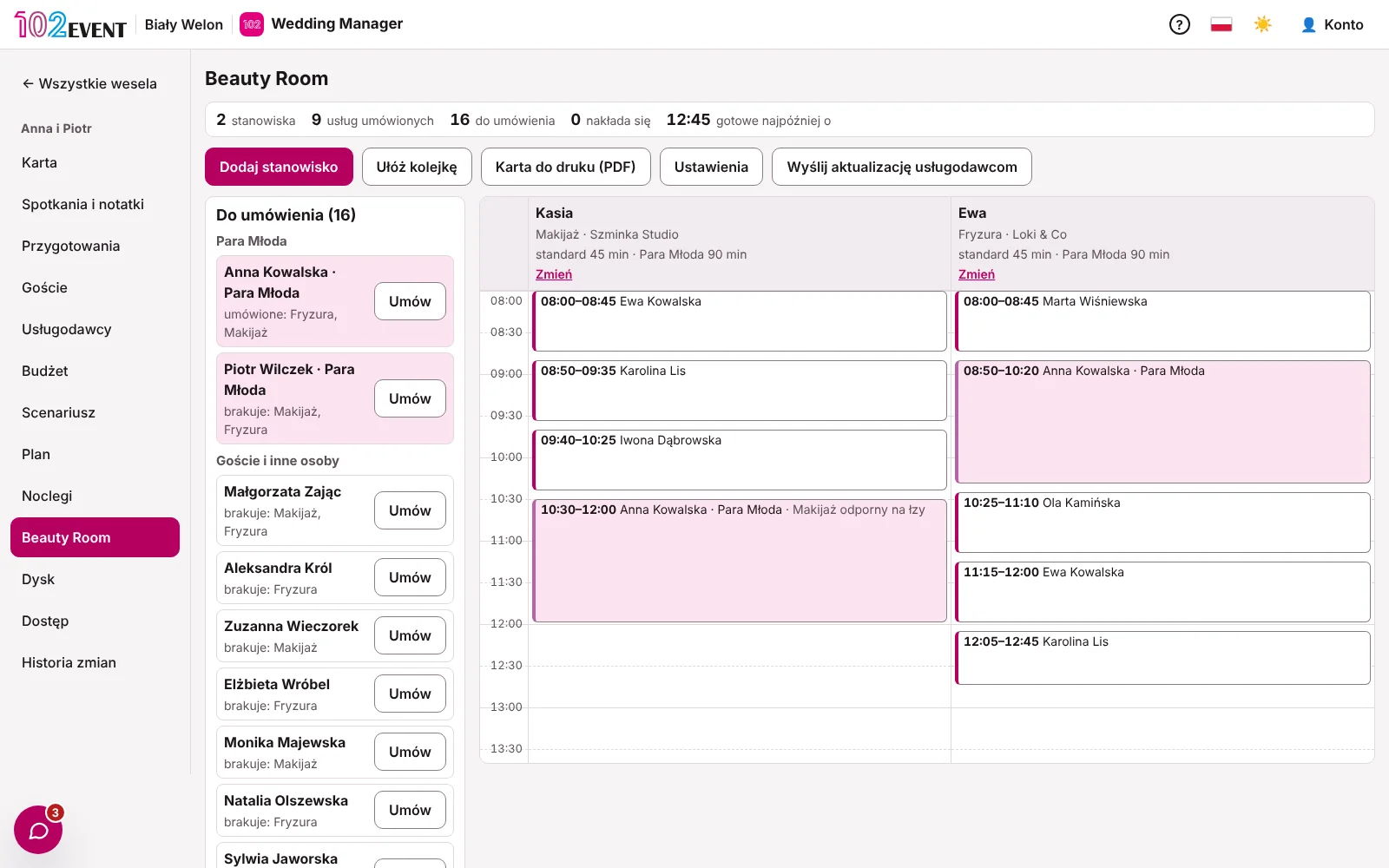
Beauty Room
Make-up and hair stations, a time slot for every person and a printable card. The couple puts it together, you advise.
- A station schedule with no overlapping slots
- Each stylist sees their own station through a link
- Beauty Room card in three styles
Security
Wedding data under control
Access checked on the server
Coordinators see only the weddings assigned to them. The server enforces it – not just hidden buttons.
No health data
Guests' menu choices are saved as codes. The app has no field for health information.
Change history
Every change can be undone. Only the Wedding Planner can restore a previous version.
Archive after the season
Finished weddings go to the archive. Nothing disappears, and nobody can change them any more.
Data kept in Poland
Servers in Poland, an encrypted database and a GDPR-compliant data processing agreement.
No ads, ever
Neither you nor your couples will ever see an ad in the app.
Questions
Questions about Wedding Manager
Does the couple need to create an account?
No. The couple gets a link to their wedding. It works on several phones, a tablet and a computer at the same time.
Can I import my weddings from Excel?
For now, you enter the data in the app. You build your planning template once and reuse it for every wedding.
Does it work on a phone?
Yes. The whole app works in your phone’s browser, including the seating plan.
Can a coordinator see all my weddings?
No. They see only the weddings you assign to them, and never your billing with the couple.
What happens to a wedding after the season?
You move it to the archive. It stays available to view, but nobody can change it any more.
Plan your next wedding in Wedding Manager.
14 days free, no card, no ads.
Questions? Write to us: kontakt@102event.pl